
A touch screen kiosk is one of the most versatile pieces of technology a business can install. The same basic hardware, a commercial touch display, a PC and peripherals in a secure enclosure, can take food orders, process self-checkout payments, check in hotel guests or patients, sell tickets or help visitors find their way. This guide covers the main types of interactive kiosks and how to choose one.

Types of touch screen kiosk
Self-ordering kiosks
Used in restaurants, cafés and pubs to take orders and payments. See our self-ordering kiosk guide.
Self-checkout kiosks
Retail and grocery kiosks with barcode scanners and sometimes scales, letting shoppers scan and pay for their own items. Read about self-checkout kiosks for retail.
Check-in kiosks
Hotels, GP surgeries, clinics, offices and leisure centres use check-in kiosks to register arrivals and print badges or keys.
Ticketing and payment kiosks
Cinemas, attractions, car parks and public services use kiosks to sell tickets and take payments around the clock.
Information and wayfinding kiosks
Interactive kiosks in shopping centres, hospitals, universities and showrooms help visitors find products, services and directions.
Wall-mounted, countertop or floor-standing?
Kiosks come in three main formats, each suited to different spaces. We explain the trade-offs in our guide to wall-mounted, countertop and floor-standing kiosks.
What makes a good business touch screen kiosk?
- Commercial-grade touch: projected capacitive (PCAP) screens are responsive, durable and work with light touches.
- Processing power: Intel Core or Celeron processors with SSD storage for smooth graphics and fast start-up.
- Integrated peripherals: card payment terminal, receipt printer, barcode or QR scanner, and optional camera.
- Operating system choice: Windows for the widest software compatibility, Android for app-based solutions.
- Serviceability: easy access to components and UK spares to minimise downtime.
- Accessibility: screen height and on-screen accessibility modes, covered in our accessible kiosk guide.
HiStone touch screen kiosks
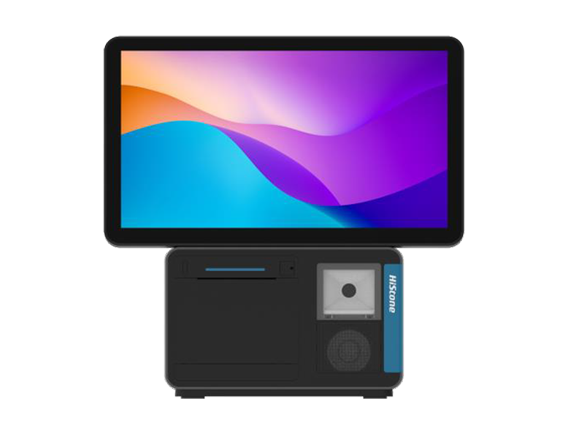
HiStone’s kiosk range covers most business needs: the HS330U self-service kiosk, the HK568MSC, the HS520U self-checkout and the compact HS150 (Windows) and HS150K (Android). All are supplied in the UK by B-Spoke Systems through our reseller network.
Frequently asked questions
What is the difference between a touch screen kiosk and a tablet?
Kiosks use larger, commercial-grade screens in secure enclosures designed for public use all day, with built-in payment and printing. Tablets are cheaper but less robust and harder to secure.
Can a touch screen kiosk run my own software?
Yes. Windows and Android kiosks can run third-party or bespoke applications, including web-based apps in kiosk mode.
Are touch screen kiosks hygienic?
Commercial kiosk screens are designed to be wiped down regularly with suitable cleaning products.
Source HiStone kiosks from the UK distributor
B-Spoke Systems is the UK and Ireland distributor for HiStone self-service kiosks, self-checkouts and EPOS hardware. We supply kiosk resellers, EPOS dealers and software houses from UK stock in Leicester, with demo units, imaging, staging and technical support. Become a HiStone kiosk reseller, price a system with our kiosk and EPOS configurator, visit our Leicester showroom or talk to our trade team.